I have a gut-wrenching revelation to make: I've lost my video iPod! Yes, 30GB of information is gone and now I don't have anything to use as a mass-storage device. This week we explore the options we have out there for replacing a storage reservoir.
What are you looking for?
This is the first step in recovering from the pain in your heart from losing or destroying your precious back-up. Obviously, if you're going to replace something, the replacement has to be better than the original.
The first thing you should do is create a list of things you liked about your old mass-storage device and make sure that the substitute has these features and more. Here's my list for my video iPod.
30GB of storage space
USB 2.0 (Fast data transfer)
Small and lightweight
No software installation needed for use
What are my options?
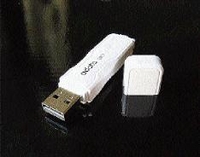
Flash drive: Did you know that flash drives today max up to 32GB and beyond? I saw an ADATA C801 32GB recently and got the privilege of using it for a day. A device so small which holds that much data will make any person feel proud to own one.
However, after that I saw the price tag and felt intimidated and ran away screaming in the night. Surely, if I was loaded with dough, this would be my first and only pick but, for a broke bloke like me, it's back to the drawing board.
External hard drive: Ready-made external hard drives are not difficult to find and they are a dime a dozen. The advantage of owning one is the ability of walking around with enormous amounts of data. The size of an external hard drive can range anywhere between 250GB to 2TB (terabyte), which is 1,000GB.
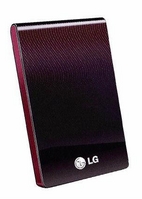
Today we'll be focusing on the LG 500GB external hard drive, because it could be a perfect mass-storage replacement. The LG 500GB is small, lightweight and the price tag doesn't give me nightmares.
The main drawback is that 500GB is too much space for me to walk around with. I would just be spending unnecessary money on something I wouldn't take full advantage of. If you crave space, this is the beast to ride.
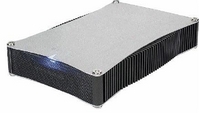
Hard-drive enclosure: These come in two sizes - the 2.5-inch and the 3.5-inch. Each size enclosure has two types, IDE and SATA. Enclosures are for persons who want to turn a normal computer hard drive or laptop hard drive into an external hard drive, thus making the storage capacity of the external hard drive totally dependent on the owner.
The main advantage of using an enclosure is the mere fact that the owner can build exactly what he or she wants. On the other hand, they are not as small as ready-made external hard drives and flash drives.
I think I have found my calling: To purchase a 2.5-inch enclosure with a 120GB IDE laptop hard drive.
Products mentioned in this article were provided courtesy of Royale Computers and Accessories; telephone#: 906-1067, 906-1068, and 754-5048.
From top: Adata C801 32GB flash drive, LG 500GB external hard drive and 3.5 hard drive enclosure.